

June 18, 2026
June 18, 2026
This update brings better pricing displays, more flexible block layouts, and several quality-of-life improvements for product targeting and storefront spacing.
These changes affect how your offer blocks look and behave on the product page, especially when you use Bundles, Upsells, and Quantity Breaks together.
New features
Dedicated price block
You can now add a standalone price block that updates automatically when a customer selects a different offer. This works especially well with Bundle and Quantity Break blocks, so the displayed price always matches the selected option.
Why this is useful:
- Keeps the product price clear and visible outside the offer block itself
- Reduces confusion when customers compare multiple offer options
- Helps the displayed price stay in sync without manual setup
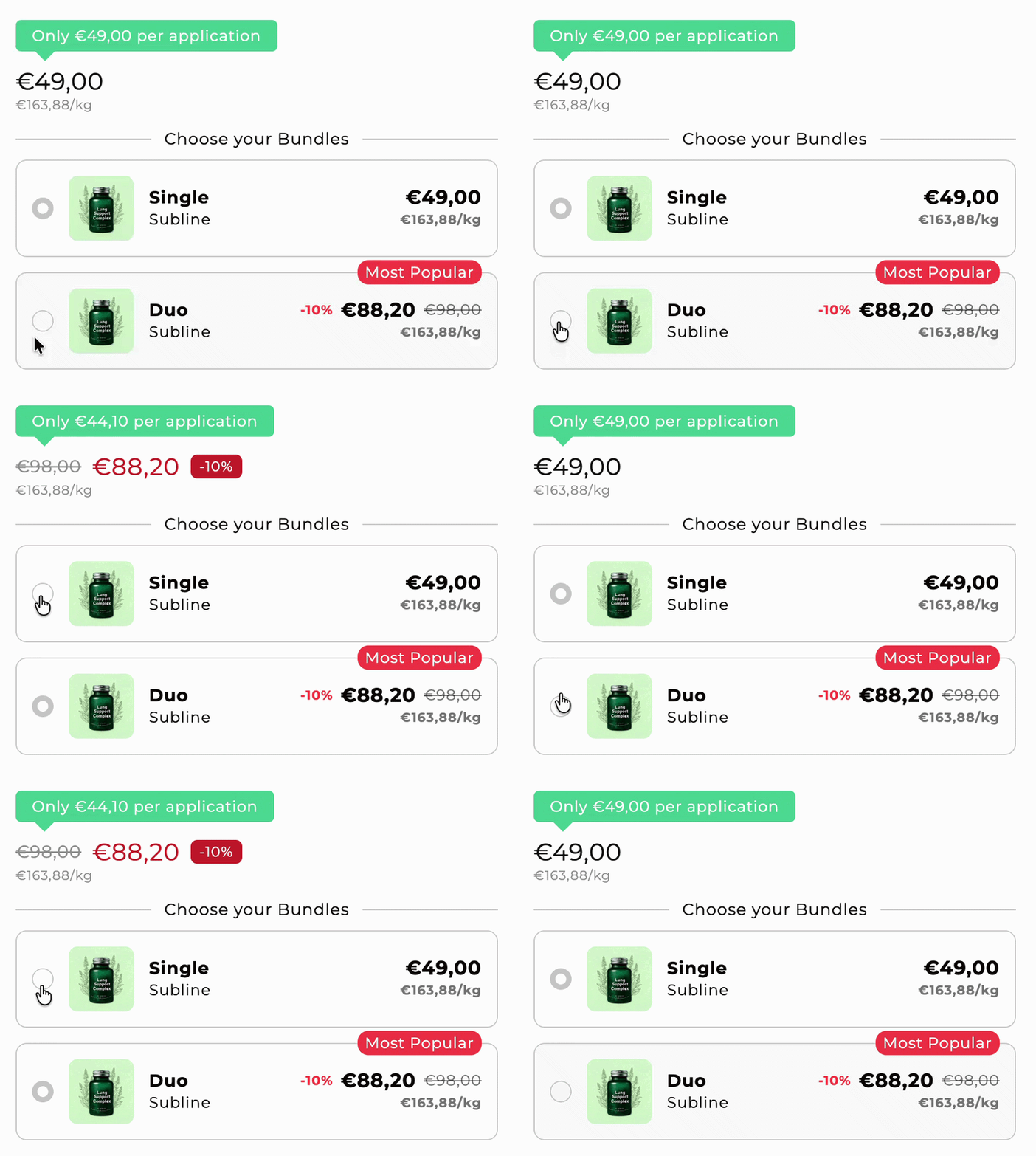
Smarter price badge block
The price badge block now works together with your offer blocks. You can also set custom badge text for each product variant, so the badge updates automatically when the customer switches variants.
Example use cases:
- Show different promotional text for each size, flavor, or color
- Highlight variant-specific savings
- Keep badge messaging accurate without creating separate layouts
Headlines above Bundle and Upsell blocks
You can now add a headline above your Bundle and Upsell blocks. This gives you more control over how offers are introduced on the product page and makes the section easier to scan.
Good headline examples:
- Choose your bundle
- Recommended add-ons
- Save more when you buy more
Show base price in Bundle and Upsell blocks
A new setting lets you display the product's base price directly inside your Bundle and Upsell blocks. This is especially helpful when you want customers to compare offer prices against the standard product price.
If you use discounts inside offer blocks, showing the base price can make savings more obvious and improve clarity for customers.
Improvements
Stock alerts remain visible with continue selling enabled
Stock alerts now stay visible even when a product is set to continue selling after it reaches zero stock. This helps you keep urgency messaging on the page without having to choose between overselling and visibility.
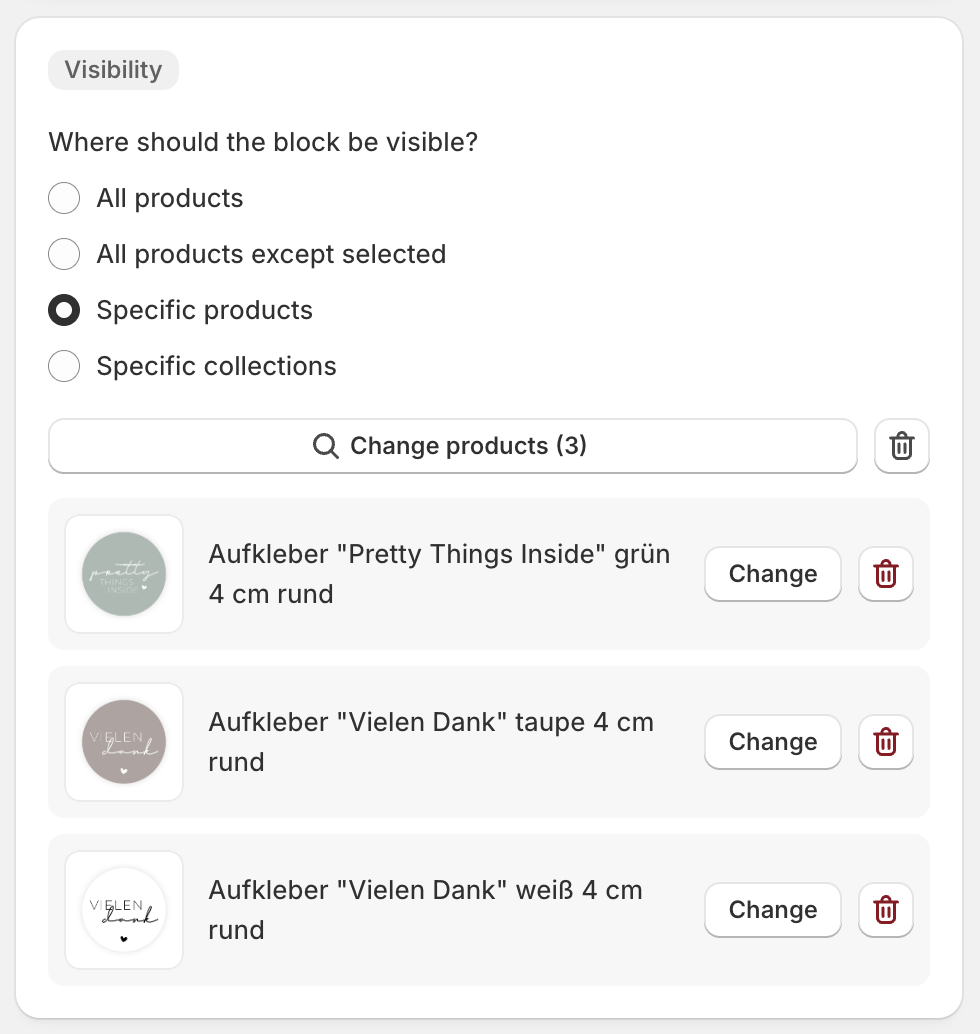
More control over where blocks appear
The visibility settings for blocks are now easier to manage when you want to target only specific products or collections. This makes it faster to show the right offer on the right product page without duplicating layouts.
You can now more easily:
- Show a block on all products
- Exclude selected products
- Limit a block to specific products
- Limit a block to specific collections
Better spacing in storefront layouts
Spacing has been improved across offer block layouts so Bundles, Upsells, badges, and pricing elements feel more consistent on the product page. This is especially noticeable when multiple offer blocks are stacked together.
You should see cleaner separation between sections and a more polished presentation with less manual adjustment.
What to review in your store
Summary
This release makes pricing clearer, offer sections easier to scan, and block targeting more flexible. If your product pages include multiple offer types, these changes should help customers understand their options faster and make your layouts easier to manage.